
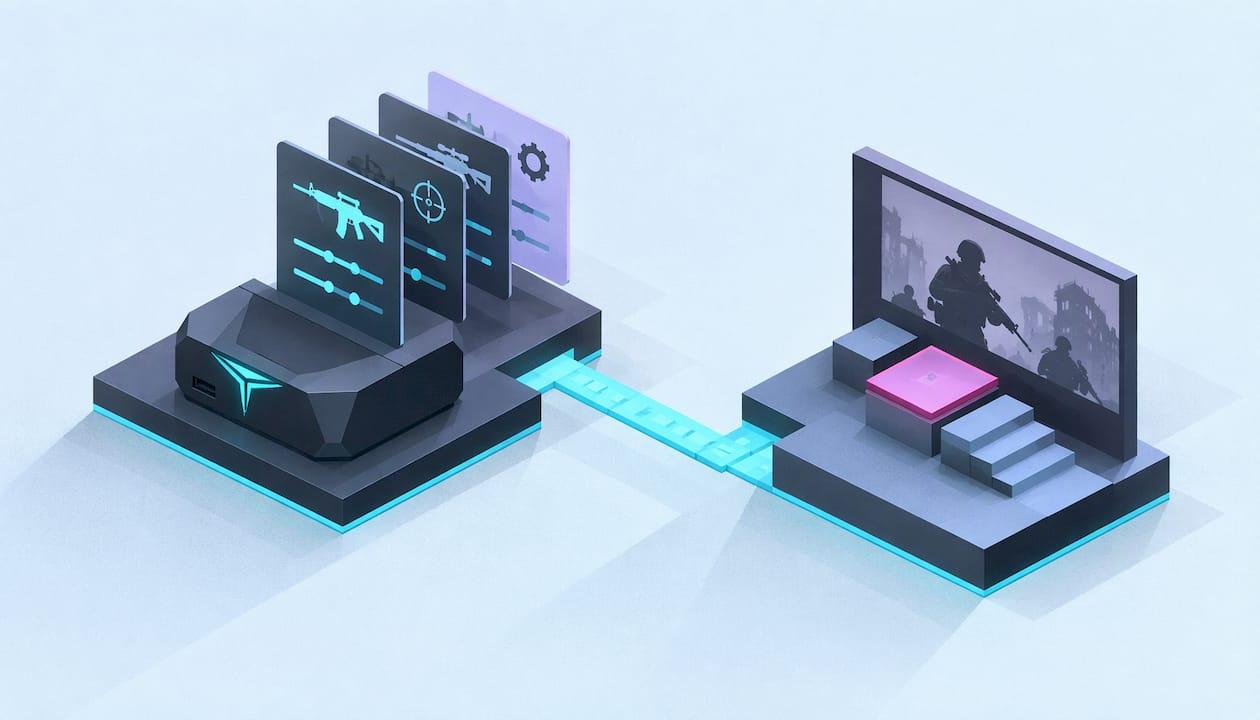
A Cronus Zen Call of Duty script is a small GPC program, written in the Zen's own scripting language, that runs on the device and changes how your controller inputs reach the console or PC. Players search for "Cronus COD" or "COD Cronus scripts" when they want controls tuned to a specific game: recoil that is easier to manage, firing modes the controller doesn't offer, and weapon profiles you can switch on the fly. The best results come from a script built for the game you play, with a clear setup guide and someone to ask when a setting misbehaves. That is how we build our Call of Duty scripts, priced from £15 to £30 as a one-off purchase.
TL;DR
- A Call of Duty Zen script is a GPC file loaded onto your Cronus Zen that adjusts inputs such as recoil compensation, fire modes, button mapping and movement.
- Match the script to your game version, platform and controller before you buy, and read the feature list and setup requirements first.
- Activision's published position is that Cronus Zen is not permitted in Call of Duty, so read its rules before you use any script there.
- Our Call of Duty scripts cost £15 to £30 one-off, with setup guides and Discord support. A preloaded Zen costs £135.99.
- If you would rather not load scripts yourself, a preloaded device or our £55 send-in service takes that job off you.
Table of Contents
- What a Cronus Zen script actually is
- What Call of Duty scripts commonly offer
- Read the rules before you use any script
- How to load a Call of Duty script on a Cronus Zen
- Judging a script's claims
- Scripts, preloaded Zen or send-in: which fits you
- Where to buy: our Call of Duty scripts
- Getting more from any script
- FAQ
- Sources
What a Cronus Zen script actually is
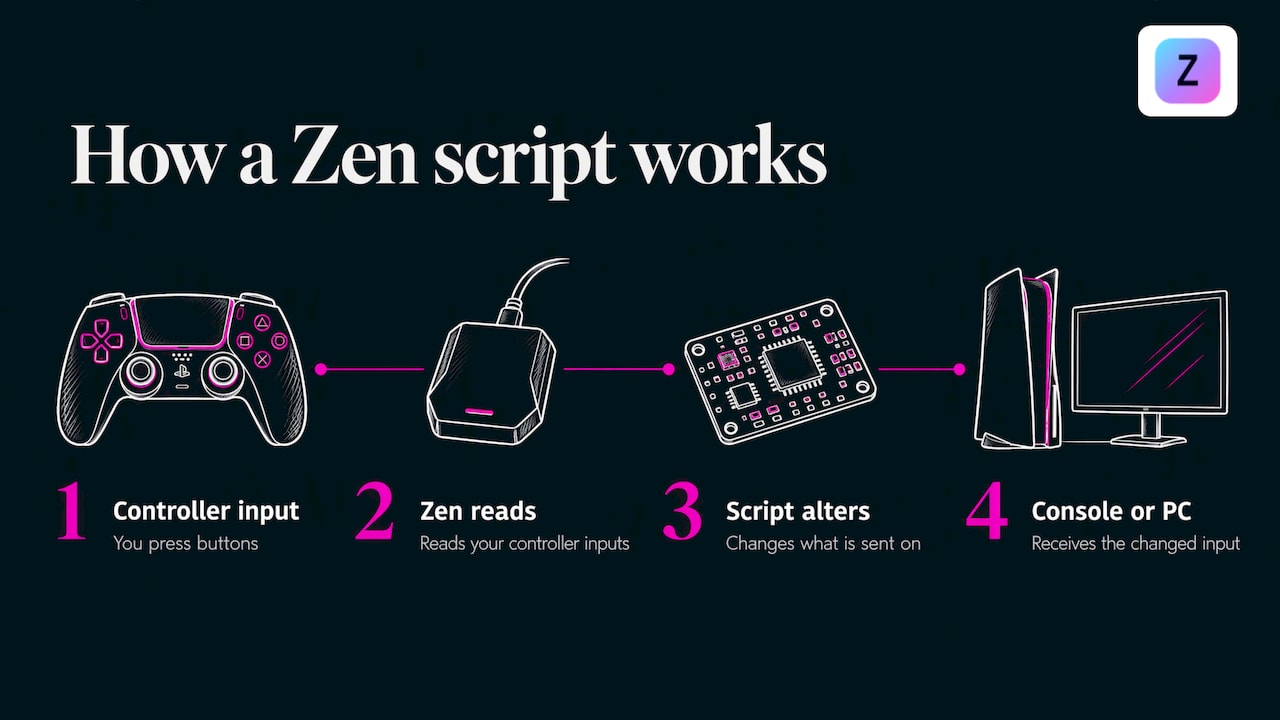
The Cronus Zen sits between your controller and your console or PC. It reads what you press, and a script can change what is sent on. Scripts are written in GPC, the device's own scripting language, and you load them through the Zen's editor software into one of the device's memory slots. Each slot holds one script, so you can keep different setups for different games and swap between them.
When players say "COD Cronus", "cod cronus scripts" or "call of duty gpc scripts", they mean the same thing: a GPC file made for a Call of Duty title. The "gpc" part is simply the file type. A script is not a mod of the game itself. It lives on the Zen, which is why the same device can run a Call of Duty script one evening and a Fortnite or Apex Legends script the next.
What Call of Duty scripts commonly offer
Feature lists look similar from one script to the next, but the names hide real differences in what changes on screen. Here is what each setting means in plain terms.
| Feature | What it changes | What to look for |
|---|---|---|
| Anti-recoil | Applies a counter-pull on the right stick while you fire, so the weapon climbs less | Adjustable strength, so you can match it to your sensitivity and attachments |
| Rapid fire | Repeats the trigger press faster than you can tap it, useful for semi-automatic weapons | A rate you can set, rather than one fixed speed |
| Burst fire | Fires a set number of shots per trigger pull | Control over burst length |
| Aim assist and sticky assist | Adds small stick movements around a target to help you stay on it | Strength and timing settings |
| Weapon profiles | Stores separate settings per weapon class, such as SMG, AR, LMG, sniper or pistol | Quick switching without re-tuning |
| Custom mapping | Moves actions to different buttons, for example putting jump or slide on a paddle-style input | A clear list of what can be remapped |
| Movement controls | Automates or simplifies movement inputs | Options you can turn on and off individually |
| OLED menu | Lets you change settings from the Zen's small screen during play | Menu navigation that is easy to learn |
The common thread is adjustability. A single flat recoil value rarely suits every weapon, which is why weapon profiles matter more than a long headline feature list. A script that lets you tune each class saves you from fighting the gun you are holding.
All of these features are in our scripts: adjustable anti-recoil, rapid and burst fire, aim and sticky assist, weapon profiles, custom mapping, movement controls and OLED menus. Each product page lists its features and setup requirements, so you can compare before checkout.
Read the rules before you use any script
This is the part that decides how you use a script, so read it before you load anything.
Activision's 2 February 2026 post on its RICOCHET anti-cheat says that Cronus Zen and XIM Matrix are not permitted in Call of Duty. It describes the devices as altering player inputs and exploiting aim assist, and it announced detections based on input behaviour. The post also says the devices are not permitted when presented as accessibility tools, and it points players to in-game options and supported hardware instead.
For competitive players, the same post notes that cheating in Ranked Play affects Skill Rating, session momentum and confidence in the mode. In practice that means:
- Check the current Call of Duty terms and RICOCHET updates for the title you play, since these change from season to season.
- Decide where you use a script with those rules in front of you. You are responsible for how you use any device on your own account.
- If your need is accessibility, explore the in-game controller settings first, including sensitivity, deadzone and button layout options, which Activision directs players towards.
The same Zen and the same GPC format also run scripts for other games, and each publisher sets its own rules. Whatever you play, read that game's terms before you use a script.
How to load a Call of Duty script on a Cronus Zen
The process is the same for most GPC scripts. The steps below show where people get stuck, and where we take the work off your hands.
1. Check compatibility first
Confirm three things before buying: your platform (PS5, Xbox or PC), your controller (the Zen needs a supported controller or adapter route for your console), and the game version the script was written for. A script written for last year's weapon balance can behave oddly in a new season. Our product pages list setup requirements so you can check these before checkout, and our scripts are tested and updated regularly.
2. Update the Zen's firmware
Connect the Zen to your PC and update the firmware through the official Zen software. An outdated firmware version is a common reason a script won't load or runs inconsistently. If you would rather not do this yourself, our send-in service covers software updates and script loading for £55 one-off.
3. Download and open the script
After purchase you download the script file. Open it in the Zen software's editor tab. Keep the file name and version number somewhere sensible, because you will want to know which version you are running when the game updates.
4. Add it to a device slot
Use the editor to add the script to a slot on the Zen and save it. Then check the slot on the device itself. If a script appears to do nothing, an empty or wrong slot is the first thing to check.
5. Connect and set your in-game options
Plug the Zen in with your controller and console or PC connected as the setup guide describes. Scripts are tuned around particular in-game settings, such as stick sensitivity and aim response curve, so set these to match the guide. Mismatched settings are the most frequent cause of a script feeling too strong or too weak.
6. Tune using the menu
Use the OLED menu to adjust anti-recoil strength and the other settings a little at a time. Change one setting per session, so you know which change did what. Weapon profiles let you save a tuned value for each weapon class rather than compromising on one number.
If you get stuck at any stage, our setup guides and Discord support are there for configuration help.
Judging a script's claims
Script pages are full of confident wording, so it helps to read them with a few practical questions:
- Does it name the game version? A listing that says a script works across everything is less useful than one tied to a title and season.
- Is every setting adjustable? Fixed values rarely fit every player. Adjustable strength and profiles by weapon class are what let you tune it to your own sensitivity.
- Is there documentation? A written setup guide, a feature list and a place to ask questions matter more than a headline claim.
- Is it maintained? Games update often, and a script needs to be kept in step. Regular updates are part of what you are paying for.
- Are the inputs fast and consistent? Scripts that add delay to your inputs feel worse than none at all, so look for descriptions that address response speed.
Performance depends on your sensitivity, your weapons and your playstyle, so a script's results vary from player to player. Treat video demonstrations as a guide to what features exist, not a promise of what you will get, and use the feature list and the setup requirements on the product page to decide what fits your setup.
Scripts, preloaded Zen or send-in: which fits you
There are three ways to get a working setup from us, depending on how much you want to do yourself.
| Option | Price | Best for |
|---|---|---|
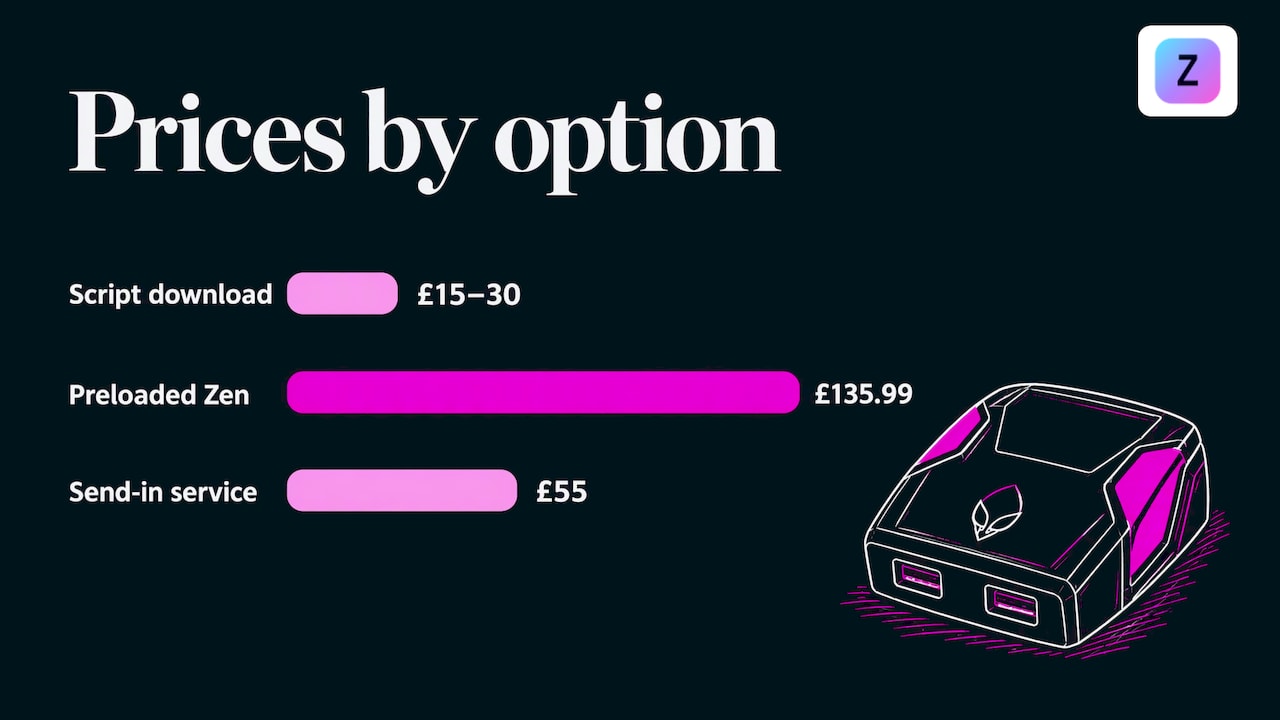
| Call of Duty script download | £15 to £30 one-off | You own a Zen and are happy to load it yourself, with our guide and Discord support |
| Preloaded Cronus Zen | £135.99 one-off | You want a device that arrives ready, so there is no loading step |
| Send-in service | £55 one-off | You already own a Zen and want us to handle software updates and script loading |
UK delivery on the preloaded device is £3.99. Prices are as listed on our site and can change, so check the product page at the point of purchase.
The download suits most owners who like to tinker. The preloaded device removes the editor, firmware and slot steps altogether. The send-in service sits in between: you keep your Zen and we update it and load the script for you.
Where to buy: our Call of Duty scripts
Our Call of Duty scripts are sold as one-off digital downloads at £15 to £30, and you can browse them by game, compare features and setup requirements, then check out. If you want the device ready to go, the preloaded Cronus Zen is £135.99, and the same page covers the £55 send-in service for software updates and script loading.
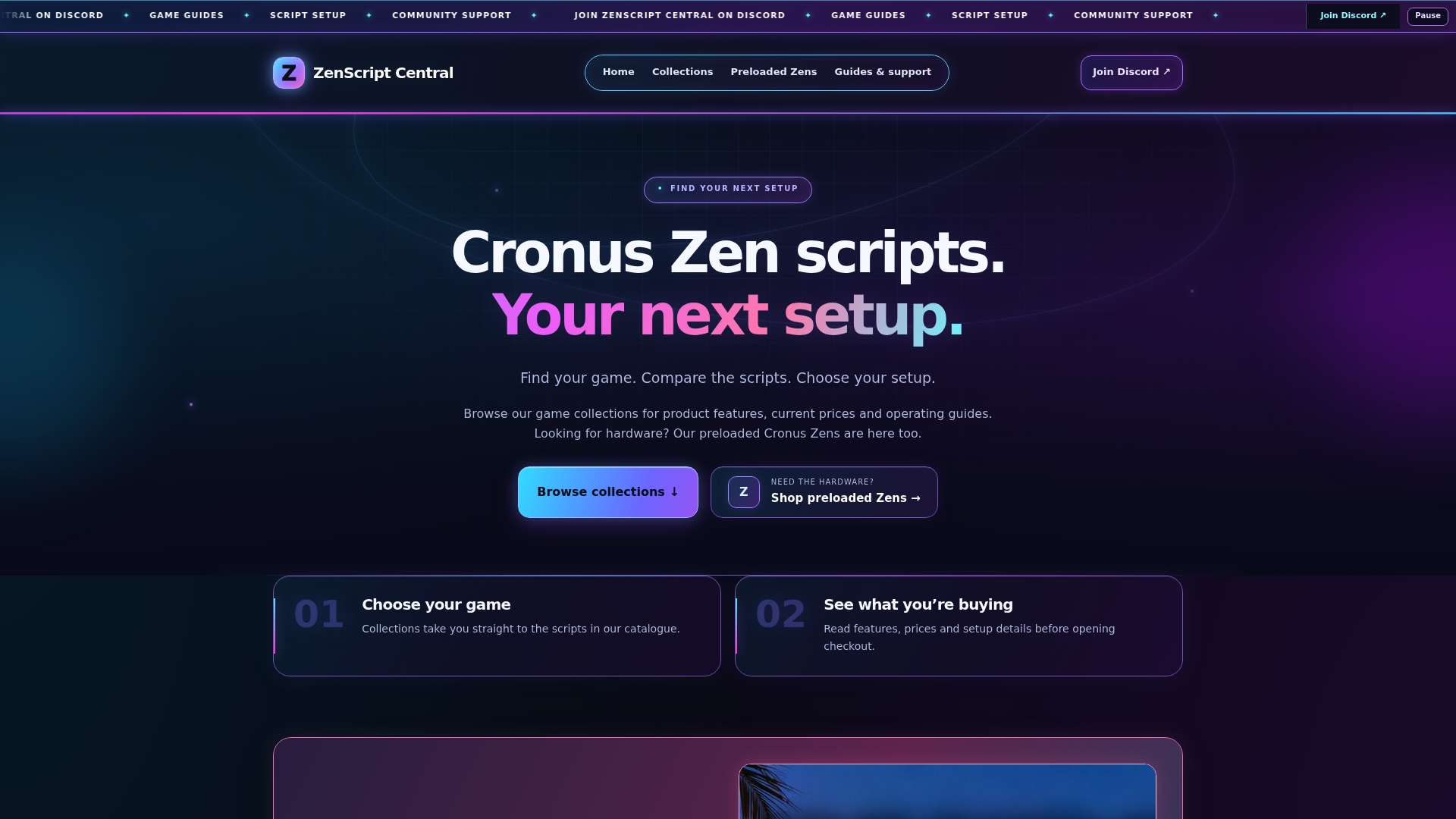
If you also play other games on your Zen, we have scripts for Fortnite, Apex Legends and Battlefield 6 (£30 one-off). The wider range is on the ZenScript Central home page, and our Discord community is there for tailored setup help.
Getting more from any script
A few habits make a script feel better whichever one you choose:
- Start gentle. Begin with anti-recoil at a low value and raise it until the weapon feels steady. Overcompensation pulls the sights down and feels worse than none.
- Tune per weapon class. SMGs, assault rifles and LMGs recoil differently. Use profiles instead of one compromise value.
- Re-check after game updates. Weapon tuning shifts between seasons. If a script feels off after a patch, look for an updated version before changing every setting.
- Keep notes. Write down your in-game sensitivity and the script settings that worked. It saves you starting again after a firmware update.
- Ask the community. Setup questions get answered fastest when you say your platform, controller, game version and script version.
FAQ
What does "Cronus COD" mean?
It is shorthand for using a Cronus Zen with Call of Duty, almost always with a script loaded. The phrases "cod cronus scripts", "cronus zen cod scripts" and "call of duty gpc scripts" all point at the same thing: a GPC file made for a Call of Duty title.
Are Cronus Zen scripts allowed in Call of Duty?
Activision's February 2026 RICOCHET post says Cronus Zen and XIM Matrix are not permitted in Call of Duty, and that new detections look at input behaviour. Read the current Call of Duty terms before using any script on your account, and use the in-game controller options if you need accessibility adjustments.
How much do Call of Duty scripts for Cronus Zen cost?
Our Call of Duty scripts cost £15 to £30 as a one-off purchase. A preloaded Cronus Zen is £135.99, UK delivery is £3.99, and the send-in service for software updates and script loading is £55.
Do I need to load the script myself?
No. You can download the script and add it to a slot using the setup guide, or you can buy a preloaded device. If you already own a Zen, our send-in service handles software updates and script loading for you.